In this article
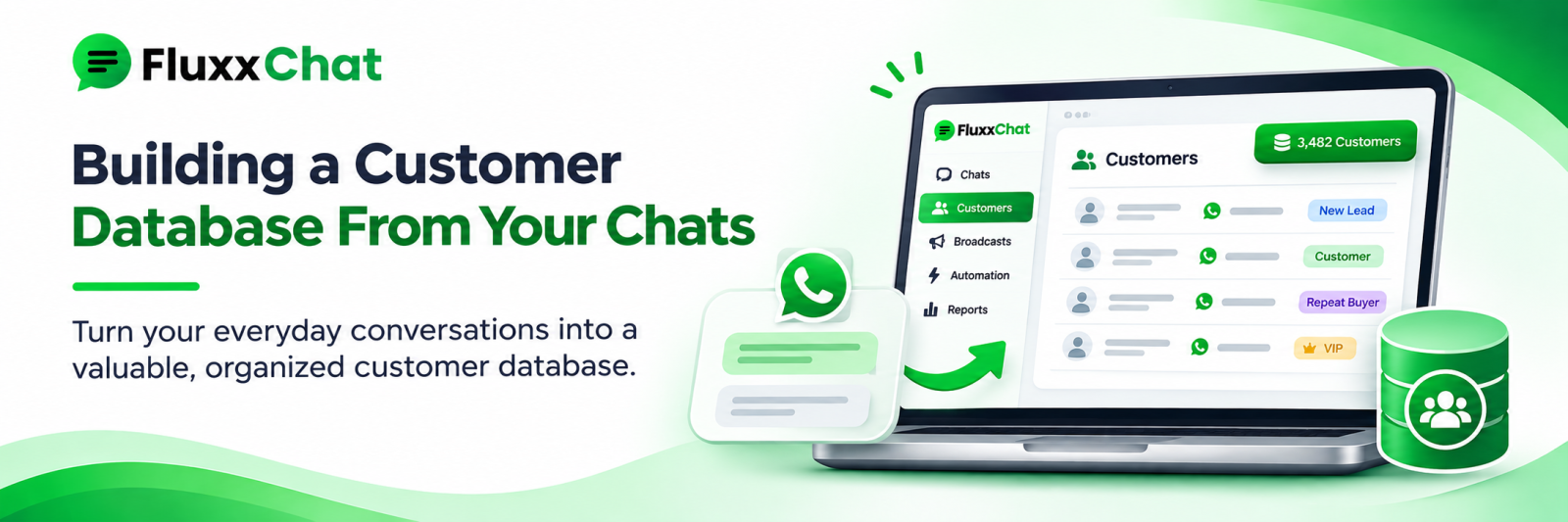
A business that has been on WhatsApp for three years has thousands of conversations and no customer list. The information is all there — names, numbers, what they bought, what they asked about — scattered across chats nobody can search.
The chats are not a database. Turning them into one is what lets you message the right hundred people instead of all five thousand.
What to capture on every contact
Minimum useful record:
Field | Why |
Name | Personalisation, and basic courtesy |
Phone number | The identifier |
Instagram handle | Links the two channels |
Location or area | Delivery, routing, local offers |
Language preference | Which templates to use |
Source | Which post, ad or referral brought them |
First contact date | Relationship age |
Status | Lead, customer, lapsed, lost |
What they bought | The most valuable field |
Order value and count | Segmentation |
Last purchase date | Lapse detection |
Consent | What they agreed to receive |
The two that transform what you can do: what they bought and last purchase date. Everything useful follows from those.
Capture it as the conversation happens
Retrospective data entry does not happen. Build capture into the flow:
• Automated qualifying questions that store answers against the contact
• Agents tagging during the conversation, not after
• Order details written to the contact record at confirmation
• Source recorded automatically from the keyword or campaign
• A required field or two before a conversation can be marked resolved
Keep it to three or four fields. Ten mandatory fields means agents enter rubbish to get past the form.
Tagging that stays useful
The common failure is 60 tags that nobody applies consistently.
Keep a short, governed list:
Type | Examples |
Stage | lead, quoted, customer, lapsed, lost |
Product interest | sarees, kurtis, bridal |
Value | regular, high-value |
Location | coimbatore, tirupur, out-station |
Language | tamil, english |
Consent | marketing-opt-in |
One person owns the tag list. New tags need their approval. Review quarterly and merge duplicates.
Deduplicate, continuously
The same customer exists as:
• A WhatsApp number and an Instagram handle
• Two numbers: personal and office
• “Ravi”, “Ravi Kumar”, “Ravi - Saibaba”
• A number with and without +91
Duplicates make your counts wrong and send the same person three copies of a campaign.
• Match on phone number, normalised to a consistent format
• Merge when a customer shares their number in an Instagram DM
• Run a duplicate check monthly
• Enforce a number format at entry
Clean the data
• Normalise phone numbers: 10 digits, no spaces or country prefix inconsistency
• Fix name fields containing addresses or order notes
• Remove test entries and your own staff
• Mark invalid and unreachable numbers
• Record opt-outs permanently, and never delete those records, or you will message them again
Test personalisation on your own team’s numbers before any campaign. “Dear Ravi - 2BHK - Saibaba” going out to 400 people is a visible, avoidable embarrassment.
Segments worth building
Once the data is clean, these are the segments that earn:
• Bought in the last 90 days — most responsive
• Lapsed — past your purchase cycle. See our win-back guide
• High value — your top customers by spend
• Single purchase — never came back
• Enquired, never bought — usually the largest group
• Interested in [category] — relevance
• By location — for local offers and delivery
• By language — for the right template
A relevant message to 200 people outperforms a generic one to 5,000, costs far less, and generates fewer opt-outs.
Consent is part of the record
• What they agreed to: service messages only, or marketing too
• When and how they agreed
• Opt-out date, where applicable
• Honour it across channels
Storing consent properly is what makes the database usable rather than a liability. See our data and consent guide.
Own it, and be able to take it with you
• The database belongs to the business, not to a salesperson’s phone
• Export regularly in a usable format: CSV at minimum
• Keep a copy outside the tool you use
• Check, before you sign with any vendor, what you can export and what happens on cancellation
A customer list you cannot export is not an asset you own.
Connect it to the rest of the business
• Billing or POS, so purchase data flows in automatically
• Ecommerce orders
• Your CRM, if you run one
• Ads platforms, for custom audiences, where consent and platform terms allow
Manual entry of what customers bought will not be sustained. Connect the systems. See our API integration guide.
Measure
Metric | Why |
Contacts with a name and number | Basic completeness |
Contacts with purchase history | Usefulness |
Duplicate rate | Data quality |
Opt-in percentage | How much of the list you may message |
Segment sizes | What campaigns are possible |
Invalid number rate | List health |
Frequently asked questions
Can I export my WhatsApp chats into a database? Chat exports are messy and lack structure. Better to start capturing properly going forward, and enrich older contacts as they return.
How many fields should we capture? Three or four at first contact. Add more as the relationship develops.
Who should own the data? The business. Not individual staff phones, and not only the vendor’s platform.
Ready to automate WhatsApp and Instagram?
Start with FluxxChat: campaigns, chatbot and a shared inbox for your team.
Get started free