In this article
- How it works
- Why it works so well
- Setting it up
- Step 1: Pick the keyword
- Step 2: Write the DM
- Step 3: Write the caption
- Step 4: Add a public comment reply
- Step 5: Decide what happens next
- What to use it for
- Mistakes that cost you
- The DM is a wall of text
- No question at the end
- It reads like a robot
- Replying hours later when they do respond
- Using it on every post
- Asking for a comment with nothing to give
- Ignoring the people who DM you directly
- Keeping it compliant and healthy
- Measuring it
- Instagram and WhatsApp together
- Frequently asked questions
A reel does well. Four hundred people comment “price”. You reply to the first thirty, lose track, and the rest never hear from you.
This is the single most common way Indian businesses waste Instagram reach. The content worked. The follow-up did not exist.
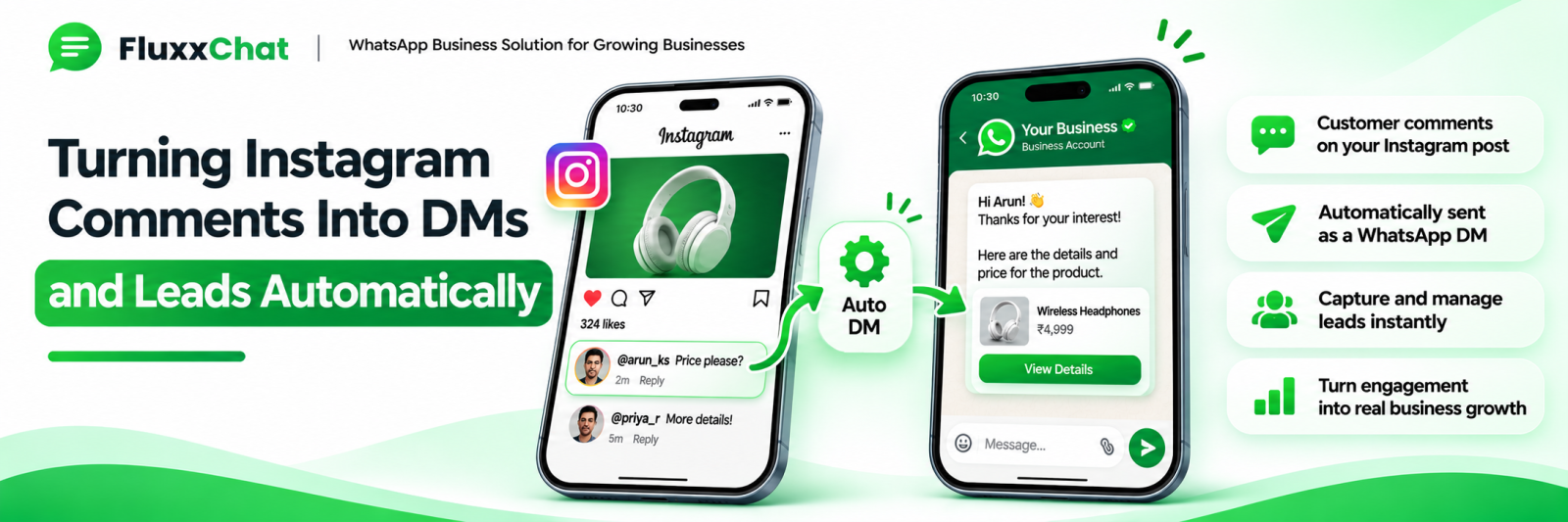
Comment-to-DM automation fixes it: someone comments a keyword, they receive a direct message automatically, and the conversation starts within seconds.
How it works
1. You pick a post or reel and a keyword — for example, PRICE
2. You write the DM that gets sent
3. Your caption tells people what to do: “Comment PRICE and we’ll send the rate list”
4. Someone comments PRICE
5. They get the DM immediately
6. Optionally, they also get a public reply to their comment
With FluxxChat, the person who commented is also saved as a lead, and the conversation lands in the same shared inbox as your WhatsApp chats.
Why it works so well
Speed. The DM arrives while the person is still looking at your post. A reply two hours later reaches someone who has moved on.
Scale. Four hundred comments get four hundred DMs. Manually that is an afternoon’s work, and it will not happen.
Reach. Comments are a strong engagement signal. A post asking people to comment usually gets shown to more people than one asking them to click a link.
No lost leads. Every single person who showed interest is captured.
Setting it up
Step 1: Pick the keyword
Keep it one word, simple, and obvious.
Good: PRICE, RATE, LIST, BOOK, DEMO, MENU, INFO, LINK, SIZE
Avoid: anything long, anything with spelling people get wrong, anything that appears naturally in ordinary comments. “NICE” is a poor keyword because people type it without meaning anything by it.
Step 2: Write the DM
This is where most setups fail. The DM sounds like a machine, and the person stops reading.
Weak
Thank you for your interest. Please find our details below. Visit our website for more information.
Better
Hi! Thanks for commenting 😊
Here’s the rate list you asked for: [link]
Which product were you looking at? I’ll check availability for you.
— Priya, Fluxx Tech
What the second one does: a human name, an immediate answer, and a question that invites a reply. The question matters — a reply turns an automated message into a real conversation.
Step 3: Write the caption
The automation only works if people know what to do. Say it clearly, and say it twice — once in the caption and once on the reel itself as text.
New collection just landed 🧵
Comment PRICE and I’ll send you the full rate list in your DMs.
Do not bury the instruction at the end of a long caption. It belongs in the first two lines.
Step 4: Add a public comment reply
Automatically replying to the comment publicly does two things: it tells the commenter to check their DMs, and it shows everyone else scrolling the comments that this works.
Sent you a DM! 📩
Vary the replies if the platform allows, so the comments section does not look like a wall of identical text.
Step 5: Decide what happens next
The DM is the start, not the end.
• If they reply, a person takes over
• If they ask a common question, a flow can answer it
• If they want to buy, move them to WhatsApp or send a payment link
• Either way, they are saved as a lead, with the post and keyword recorded
What to use it for
Business | Keyword | What the DM sends |
Boutique or clothing | PRICE | Rate list, sizes, availability question |
Restaurant or cafe | MENU | Menu PDF, delivery options, table booking |
Salon or spa | BOOK | Services and rates, booking link |
Coaching centre | DEMO | Batch details, fee structure, demo class slot |
Real estate | PLAN | Floor plans, location, site visit question |
Gym or fitness | TRIAL | Trial pass details, timings |
Photographer | PACKAGE | Portfolio link, availability question |
Clinic | APPT | Timings, consultation details, booking link |
Mistakes that cost you
The DM is a wall of text
Three short paragraphs maximum. Instagram DMs are read on a phone, usually quickly.
No question at the end
Without a question the conversation dies at message one. Always end with something to answer.
It reads like a robot
“Dear valued customer, thank you for your esteemed enquiry.” Nobody talks like this. Use a name, use normal words.
Replying hours later when they do respond
The automation starts fast and then a person takes four hours. The advantage is lost. Someone needs to be watching the inbox.
Using it on every post
If every single post says “comment PRICE”, your audience stops reading captions. Use it when there is genuinely something to send.
Asking for a comment with nothing to give
“Comment INFO for more info” is not an offer. Have something real on the other end — a list, a PDF, a discount, a slot.
Ignoring the people who DM you directly
Many people skip the comment and message you straight away. Those are your warmest leads. They should not wait longer than the automated ones.
Keeping it compliant and healthy
Instagram has limits on automated messaging, and accounts that behave like spam get restricted.
• Only message people who triggered the automation themselves
• Do not send unsolicited DMs to people who never interacted
• Keep the message relevant to what they asked for
• Respond when they reply — one-way automation that never leads to a human gets reported
• Do not use it to send the same promotional message repeatedly
The principle is the same as WhatsApp: message people who asked to hear from you, and make it easy for them to stop.
Measuring it
Track these per campaign:
Metric | Why |
Comments with the keyword | How well the caption and creative worked |
DMs delivered | Delivery health |
Replies to the DM | Whether the message itself was good |
Conversations that reached a person | Where automation ends and selling begins |
Enquiries that became customers | The only number that matters commercially |
If comments are high and replies are low, the DM needs rewriting. If replies are high and sales are low, the handover to a person is where the problem is.
Instagram and WhatsApp together
The strongest setup for most Indian businesses uses both.
Instagram brings discovery — people find you through reels and explore. WhatsApp is where the conversation gets serious, where files and payment links and voice notes work comfortably, and where people are used to transacting.
A natural path: reel → comment → automated DM → “shall I send the details on WhatsApp?” → the rest of the conversation happens there.
With FluxxChat, both channels arrive in the same shared inbox, so the same team handles them without switching apps and the customer’s history stays in one place.
Frequently asked questions
Do I need a Business or Creator account? Yes, Instagram automation requires a professional account connected to a Facebook Page.
Can I automate DMs to people who did not comment? No, and you should not want to. Unsolicited DMs get reported and restrict your account.
How fast does the DM arrive? Usually within seconds of the comment.
Can I run different keywords on different posts? Yes. Each post can have its own keyword and its own DM.
What if someone comments the keyword twice? A well-configured automation sends once per person per post, so they are not spammed.
Can the DM include an image or a PDF? Yes, and a rate list or menu as an image often performs better than a link, because it needs no extra tap.
Does this work on Stories? Story replies and mentions can trigger automations as well, though comment automation on posts and reels is where most of the volume is.
Ready to automate WhatsApp and Instagram?
Start with FluxxChat: campaigns, chatbot and a shared inbox for your team.
Get started free