In this article
- The rule
- Why it exists
- What counts as opening the window
- Inside the window
- Outside the window
- Using the window well
- Finish the conversation inside it
- Design templates that invite a reply
- Use the window end as a prompt
- Automate the opening
- Common mistakes
- A worked example
- How this changes your team’s habits
- Frequently asked questions
If you understand only one rule about WhatsApp Business API, make it this one. It determines what you can send, what you must get approved, and what you pay.
The rule
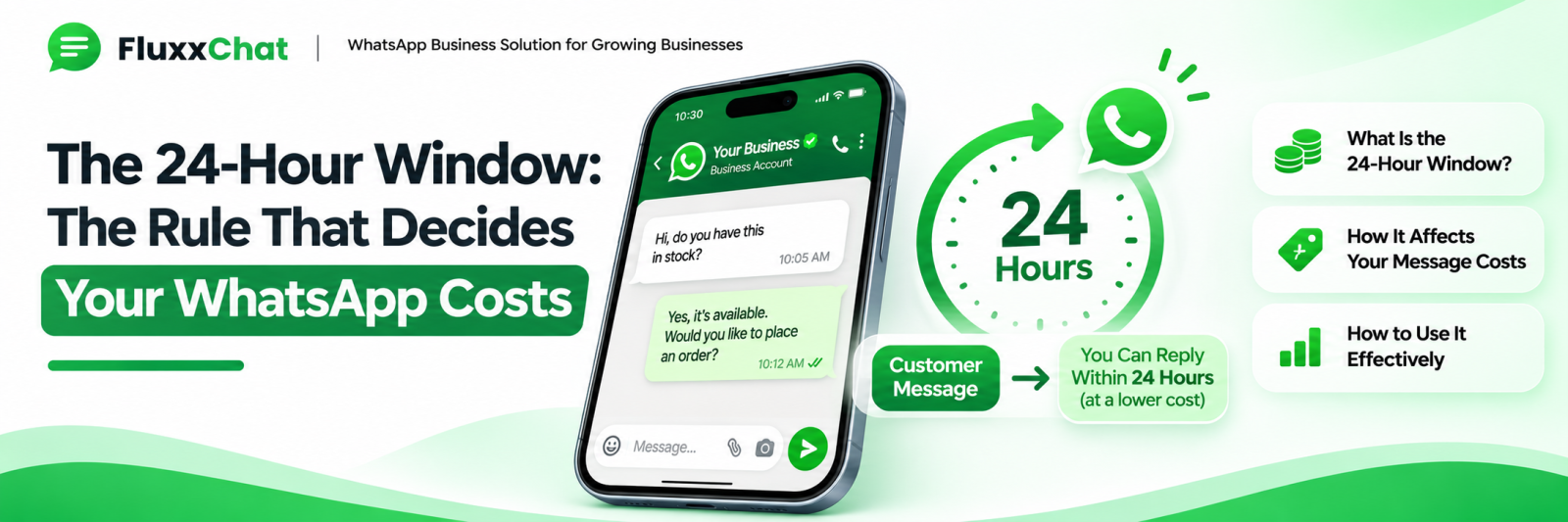
When a customer sends you a message, a 24-hour window opens.
Inside that window:
• You can send anything — text, images, documents, voice notes, buttons
• No pre-approval needed
• No charge
Outside that window:
• You can only send a template that Meta has already approved
• You are charged for it
• The customer must have opted in
Every time the customer sends another message, the window resets to a fresh 24 hours.
Why it exists
Before this rule, businesses could message anyone at any time, and WhatsApp would have become what SMS became. The window ties your ability to message someone to their having chosen to talk to you.
It is restrictive, but it is also the reason WhatsApp still works — people read their messages because their inbox is not full of unsolicited marketing.
What counts as opening the window
Customer action | Window opens? |
Sends you any message | Yes |
Replies to your template | Yes |
Taps a button on your template | Yes |
Clicks a click-to-WhatsApp ad and sends the pre-filled message | Yes |
Scans your QR code and sends a message | Yes |
Reads your message without replying | No |
Saves your number | No |
Reading is not replying. A delivered and read template that got no response has not opened anything.
Inside the window
This is where most of your business happens, and it is free.
• Answer the enquiry fully
• Send photographs, price lists, catalogues, brochures
• Send a quotation PDF
• Ask clarifying questions
• Send a payment link
• Confirm the order
• Share tracking details
For a business whose WhatsApp is mainly inbound enquiries and support, almost all messaging is free. This surprises people who expect WhatsApp API to be expensive.
Outside the window
You need a template. Templates are message formats you submit to Meta in advance; Meta reviews them and approves or rejects them.
Template category | Examples |
Utility | Order confirmed, out for delivery, appointment tomorrow, payment received, service due |
Marketing | New collection, festival offer, we miss you, webinar invitation |
Authentication | One-time password, login code |
Utility templates are cheaper and are approved more readily. Marketing templates cost more and are reviewed more strictly.
Using the window well
Finish the conversation inside it
The single biggest cost saving. If a customer messages at 11am, you have until 11am tomorrow. Do not let a quotation sit unsent until day three and then pay for a template to restart the conversation.
Set an internal rule: every open conversation gets a substantive reply the same day.
Design templates that invite a reply
A template that gets a reply converts a paid message into a free conversation.
Weak: “Your order has been dispatched.”
Better: “Your order has been dispatched and should arrive by Thursday. Reply if you would like the tracking link.”
Add quick-reply buttons where it fits. A tap opens the window just as a typed message does.
Use the window end as a prompt
A conversation that is going cold with four hours left in the window is a conversation worth one more message — for free. After the window closes, the same message costs money and needs approval.
A platform that shows you which conversations are approaching the window’s end turns this into a routine rather than something you remember occasionally.
Automate the opening
When a customer messages outside working hours, an automatic reply does two things: it tells them you have received it, and it keeps the conversation alive until someone can respond.
A good after-hours auto-reply:
Thanks for messaging Fluxx Tech. Our team is available 9.30am to 6.30pm, Monday to Saturday. We have your message and will reply first thing. If it is urgent, call 88073 27953.
It sets an expectation rather than leaving silence.
Common mistakes
Mistake | What happens |
Treating the window as 24 hours from your message | It is from the customer’s last message |
Assuming a read receipt reopened it | Only a reply does |
Letting enquiries sit two days | Window closes; restarting costs money |
Sending a template when the window is still open | You pay for something that was free |
Having no templates ready | You cannot reach a customer after the window at all |
Submitting marketing content as utility | Rejected, and repeated attempts affect account standing |
That fourth one is more common than you would think. A platform that knows the window status and sends a free session message when possible, and a template only when necessary, saves money without anyone thinking about it.
A worked example
A customer messages your showroom at 4pm on Monday asking about a product.
Time | Action | Cost |
Mon 4.00pm | Customer messages — window opens until Tue 4pm | Free |
Mon 4.05pm | You reply with details and photos | Free |
Mon 4.20pm | Customer asks about delivery | Free, window resets to Tue 4.20pm |
Mon 4.25pm | You reply with delivery options | Free |
Tue 11.00am | You send the quotation | Free — still inside |
Wed 10.00am | No reply; you want to follow up | Template required, charged |
If instead you had sent the quotation on Monday evening and asked a question, the customer would likely have replied, resetting the window and keeping Wednesday free too.
How this changes your team’s habits
The window makes speed financially worthwhile, not just good service.
• Reply the same day, always. It is free today and costs money tomorrow.
• Assign conversations so nothing sits unowned.
• Set a response-time target — under 30 minutes in working hours is achievable with a shared inbox.
• Use notes, not memory. Internal notes on a conversation mean the next person can continue without asking the customer to repeat themselves.
• Watch the window timer rather than guessing.
Frequently asked questions
Is the window exactly 24 hours? Yes, from the customer’s most recent message. Each new customer message resets it.
Can I send a template while the window is open? Technically yes, and you will be charged for it. There is no reason to — send a normal message instead.
What if the customer replies to my template? The window opens and everything afterwards is free until it closes again.
Does the window apply to Instagram DMs too? Instagram messaging has its own rules and limits, which differ from WhatsApp’s. With FluxxChat both land in the same inbox, and the platform applies the correct rules for each channel.
Can I extend the window? No. It is fixed by Meta. What you can do is give the customer a reason to reply before it closes.
What if I miss the window and the customer is waiting? Send an approved template — a utility one if it genuinely is utility, such as a quotation follow-up. Then make sure the next conversation does not reach that point.
Ready to automate WhatsApp and Instagram?
Start with FluxxChat: campaigns, chatbot and a shared inbox for your team.
Get started free