
In this article
- What the catalog is
- What it is good for, and what it is not
- Setting it up
- Photographs
- Names
- Prices
- Descriptions
- Organise into collections
- How the order actually happens
- The step where orders are lost
- After the order
- Keeping the catalog current
- Using the catalog in conversation
- Compliance
- Frequently asked questions
A great many businesses in India sell on WhatsApp already, informally. The customer asks “price?”, someone sends ten photos, the customer picks one, and the order is agreed in a chat that nobody can find three weeks later.
It works, and it does not scale. A catalog turns the same conversation into something structured: products with prices, a cart, an order, and a record.
What the catalog is
A product list attached to your WhatsApp Business account. Each item has a photo, a name, a price, a description and optionally a link and a product code.
Customers can browse it inside WhatsApp, without leaving the chat. You can send individual products or a whole collection into a conversation.
With FluxxChat, the catalog syncs both ways with your Meta catalog, so the same product data powers WhatsApp, Instagram shopping and your Meta ads rather than being maintained three times.
What it is good for, and what it is not
Works well for
• A manageable number of products — tens, not thousands
• Visual products where a photo sells — clothing, jewellery, food, furniture, plants
• Repeat-purchase items
• Businesses whose customers already message them
• Products with straightforward pricing
Works poorly for
• Very large catalogues
• Products with many variants in size, colour and material
• Industrial items that are quoted rather than priced
• Anything needing complex configuration
• Services with variable scope
For a service business, a catalog can still be useful as a service list — each service as an item with what it includes.
Setting it up
Photographs
This is what sells, and it is where most catalogs fail.
• One product per photo, nothing else in the frame
• Plain background — white or a single colour
• Natural daylight, never tube light
• Square format, because that is how WhatsApp displays them
• Consistent style across every product, so the catalog looks like a shop and not a scrapbook
A catalog of forty products photographed in forty different settings looks disorganised, and customers judge your business by it.
Names
Specific, searchable, consistent.
Poor: “Saree 3”, “New item”, “Product A”
Better: “Kanchipuram Silk Saree — Maroon with Gold Border”
Include what it is, the material, and the distinguishing feature.
Prices
Put real prices in. A catalog where every item says “contact for price” defeats the purpose and adds a step that loses people.
If prices genuinely vary, use the catalog for your fixed-price range and handle the rest in conversation.
Descriptions
Answer the questions you get asked about that product:
• Material and composition
• Dimensions or sizes available
• Colours available
• Care instructions
• Delivery time
• What is included
Every question answered here is a message your team does not have to type.
Organise into collections
Group items — “Sarees”, “Kurtis”, “New Arrivals”, “Under ₹2,000”. A customer looking for one thing should not have to scroll past sixty others.
How the order actually happens
The flow inside WhatsApp:
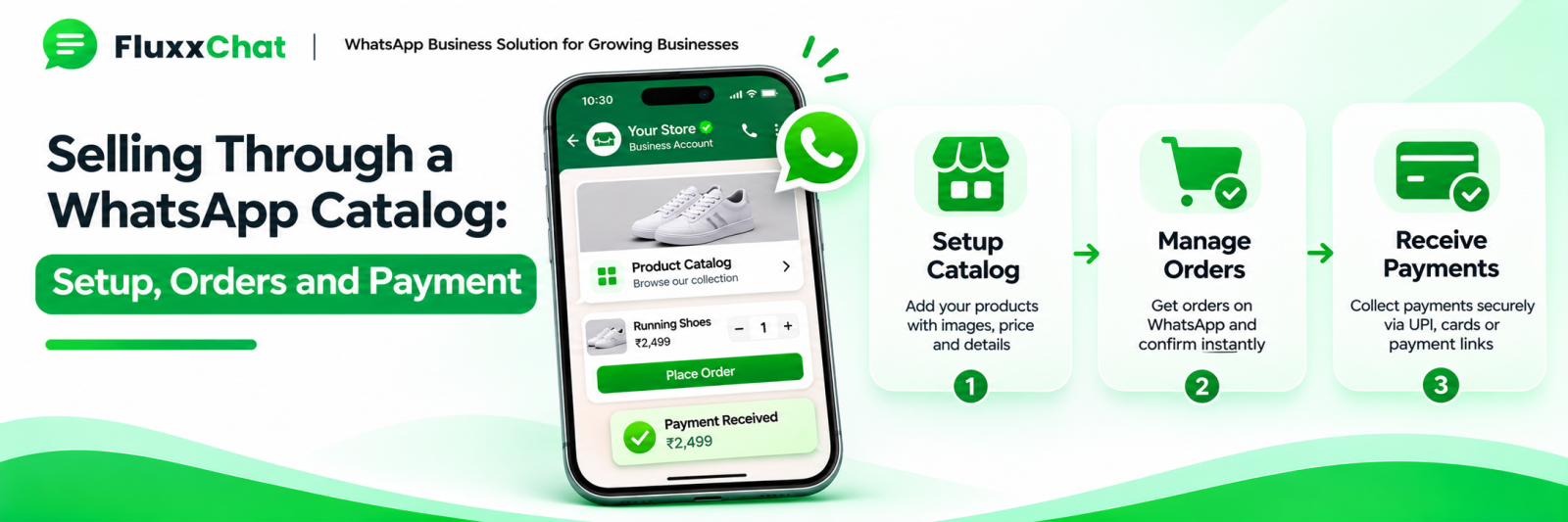
1. Customer opens the catalog or you send specific products
2. They add items to a cart
3. They send the cart to you as a message
4. You confirm availability and total
5. You send the payment link or confirm cash on delivery
6. You confirm the order and share the delivery timeline
The important thing to understand: WhatsApp carries the conversation and the cart, but payment happens through your own payment method — a payment link, UPI, a gateway, or cash on delivery.
The step where orders are lost
Between the cart arriving and the payment being made.
What goes wrong:
• A delay in confirming, and the customer loses momentum
• Items turning out to be unavailable after they chose them
• The total being different from what they expected, because of delivery charges
• Payment instructions that are unclear
• No confirmation after payment, leaving them unsure
What to do about it:
Confirm within minutes. The cart arriving is the highest-intent moment in the whole relationship.
Keep stock accurate. Remove or mark unavailable items immediately. A customer who picks three things and is told two are out of stock usually buys none.
State the full total. Items, delivery, taxes, everything, in one message, before asking for payment.
Your order: • Maroon Kanchipuram Saree — ₹X • Blouse piece — ₹Y
Delivery to Coimbatore — ₹Z Total — ₹Total
Here is the payment link: [link] Or you can pay by UPI to [UPI ID].
Confirm payment immediately. Then send the order confirmation as a utility message with an order number and expected delivery date.
After the order
This is where WhatsApp outperforms almost everything else, because each step is a utility message — cheap, expected and genuinely useful.
Stage | Message |
Order confirmed | Order number, items, total, expected delivery |
Dispatched | Tracking details |
Out for delivery | Expected time today |
Delivered | Confirmation and a thank you |
A few days later | How was it? Any issues? |
Later, if relevant | Re-order reminder |
Each one reduces a “where is my order?” message, which is otherwise a significant share of support volume.
Keeping the catalog current
A stale catalog is worse than none, because customers order things you cannot supply.
Frequency | Task |
Weekly | Update availability |
Weekly | Add new arrivals |
Monthly | Review prices |
Monthly | Remove discontinued items |
Quarterly | Re-photograph anything inconsistent |
Assign it to one person. A catalog that nobody owns goes stale within a month.
Using the catalog in conversation
The catalog is not only something customers browse. Your team should use it actively.
• A customer asks about a product — send that product card, not a photo from the phone gallery
• A customer is undecided — send two or three options as a set
• A customer bought something — send the matching accessory
• An automated flow can send a whole collection in response to a keyword
Sending a product card rather than a loose photo means the price, description and order path travel with it.
Compliance
WhatsApp’s Commerce Policy restricts what can be sold through the catalog. Prohibited and restricted categories include alcohol, tobacco, drugs, weapons, live animals, adult products, certain medical products and supplements, and gambling.
Listing prohibited items can get your catalog removed and your account restricted. If your sector is anywhere near these lines, check the policy before building a catalog around it.
Frequently asked questions
How many products can the catalog hold? It supports a substantial number, but usability drops long before the technical limit. Keep it to what a customer can reasonably browse, and use collections.
Can customers pay inside WhatsApp? Payment availability varies by region and setup. Most businesses in India use a payment link, UPI, or a gateway, shared in the chat. The conversation and the cart are in WhatsApp; the payment step is yours.
Does the catalog sync with Instagram? Through the Meta catalog, yes. FluxxChat syncs products with your Meta catalog in both directions, so WhatsApp, Instagram and ads share the same product data.
Can I show different prices to different customers? Not in the catalog itself — it shows one price per item. Customer-specific pricing has to be handled in conversation.
What if I have hundreds of variants? Group them. List one product per style with variants described, and confirm the specific variant in conversation. Listing every size and colour separately makes the catalog unusable.
Do I need a website as well? A catalog is not a website. Many customers will check your website before ordering, especially for higher-value purchases. They work together.
Ready to automate WhatsApp and Instagram?
Start with FluxxChat: campaigns, chatbot and a shared inbox for your team.
Get started free